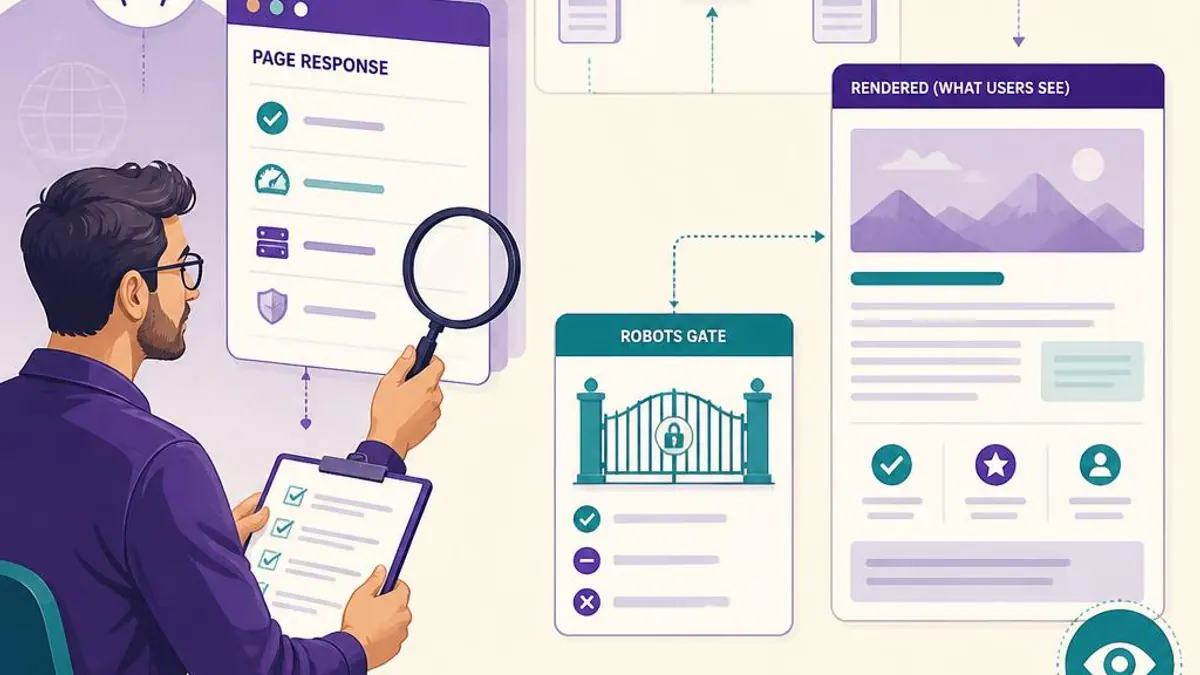
Check the HTTP response, initial HTML, robots rules, canonical and the actual rendered page. A public page should expose its meaningful answer without requiring sign-in, while its browser experience should remain consistent with that answer.
Inspect the response before the design
Request the URL without an account and confirm the status code. Inspect the source for the actual H1, main text, title and canonical. A generic application shell may be renderable by some systems, but initial route-specific HTML is more broadly accessible and easier to verify.
Do not conclude that all search crawlers behave identically. Google can render JavaScript in supported circumstances, while other retrieval systems may have different capabilities. Verify your important content directly instead of relying on a blanket claim.
Check directives and destination identity
Review robots.txt, page-level robots metadata and HTTP headers. Confirm that a canonical points to the intended public page rather than a template or homepage. A redirect should lead to a relevant destination and preserve the expected purpose.
Test a missing page too: it should not return a generic successful marketing page that implies the URL exists. Drafts and unpublished records should remain unavailable to public discovery.
Compare source and browser content
Load the page in a normal browser and check the heading, FAQ, links and important factual statements against the initial HTML. Dynamic additions should not replace a detailed guide with unrelated content after load.
In RankZoro, use audit findings to prioritize inspection, then confirm the live response after the fix. A crawler-readable page still needs useful original information; technical access alone does not guarantee selection.
Check the page response and final destination
Request the public URL without signing in and confirm that it returns the intended page with an appropriate status. Follow redirects to the final destination and confirm it is the correct canonical URL. An error message displayed inside a successful generic shell can still have the wrong HTTP status, so inspect the response as well as the screen.
Check whether alternate hostnames, trailing-slash forms or parameters create unnecessary variants. Decide which URL should be canonical and ensure internal links consistently point to it. A redirect and a canonical hint are related but different mechanisms; neither is a substitute for checking the live response.
Review robots controls and rendered content
Check robots.txt and page-level robots metadata for rules that unintentionally prevent the intended crawler from reaching or indexing an important public page. A robots.txt disallow may prevent crawling without guaranteeing that a URL disappears from every result. Follow the current search-engine documentation when selecting a control.
Inspect that important visible text is present in the rendered page and not blocked behind an authentication requirement. If the site depends on client rendering, verify what the crawler can actually access and that essential content and links are not lost to a frontend error.
Inspect canonical and duplicate signals together
Read the page's canonical and compare it with the URL in internal links, sitemap entries and redirect behavior. If canonical signals disagree, correct the underlying URL structure rather than submitting multiple forms and expecting a preference to override all other signals.
Similar content can have a legitimate reason to exist, but pages that serve the same intent need a clear owner. Consolidate true duplicates where that is the right editorial choice; do not point distinct location or product pages to a single canonical if their separate purpose is real.
Make the fix and verify the public result
After changing a technical rule, request the page again and inspect the final response, canonical, visible content and relevant links. Check both the target URL and the destination it references. Record when the fix went live and which other templates could be affected by a shared rule.
An audit tool's green indicator confirms only the condition it checked. It does not verify all rendering, page quality, inclusion or ranking. Schedule a follow-up with the appropriate search console or external observation tool and report that step separately.
Build a URL-level technical evidence sheet
Record the requested URL, final URL, status, redirect path, canonical, robots directives, main content availability and internal discovery path. Add the check date and tool used. This turns a vague inaccessible label into a set of observations a technical owner can reproduce.
Keep source response and browser rendering separate when diagnosing a JavaScript-dependent page. A page may return a successful shell but fail to render its content, or render for a signed-in editor but not a public visitor. The correct fix depends on which layer is failing, so preserve both observations where possible.
An illustrative canonical mismatch
Imagine a new article whose sitemap and internal links use its own URL, while its canonical points to an unrelated older guide. The first task is to confirm the intended owning URL and repair the conflicting template or page setting. Repeatedly submitting both URLs does not resolve their contradictory signals.
After correcting it, inspect the published canonical, relevant redirects and sitemap entry again. Check other pages sharing the template to understand the scope. This is a diagnostic example, not a claim that an external engine must select the revised URL immediately.
Keep a technical release checklist
Before closing a fix, verify the page publicly, test its discovery links and record the exact condition that changed. For a shared template, inspect more than one representative URL. Ensure an accidental global rule did not trade one fixed article for many newly blocked pages.
Use the relevant search console or engine tool for later external observations when available. Keep its date and reported status distinct from the application's own checks. The site can verify its response and directives; it cannot directly confirm every crawler's internal state.
Crawlability closure checklist
Keep site-controlled checks separate from external indexing observations. Save the check date and evidence so another operator can reproduce the result.
- The public request reaches the intended canonical URL with the correct status and no unrelated redirect.
- The page is not accidentally gated by authentication, an error shell or unintended crawler controls.
- Important text and crawlable links are available in the intended rendered response.
- Canonical, internal links, redirects and sitemap entries describe a consistent owning URL.
- Representative pages sharing the changed template have been inspected for regressions.
- Any later external crawl or indexing status is recorded with its actual source and timestamp.
Apply this workflow in RankZoro
Start with crawling, schema and indexing and review the relevant RankZoro capability. Use the output to organize evidence and editorial work, not as a guarantee of search inclusion. Compare plans before running paid or credit-based actions.
Continue with IndexNow vs Google Indexing: What Each Can and Cannot Do or FAQ Schema That Matches Your Visible Content: A Practical Checklist. These are supporting explanations, not independent proof of measured outcomes.
Sources and methodology
- Google: AI features and your website — Eligibility, search fundamentals, and reporting limitations.
- Google: creating helpful, reliable content — People-first content and evidence of experience.
- Google: spam policies — Doorway pages and scaled content abuse are not an expansion strategy.
- IndexNow documentation — A submission receipt is not confirmation of indexing.
- Google: structured data policies — Markup must match visible content and does not guarantee a rich result.
- OpenAI: crawler controls — Search crawling and model-training controls are independent.
- Google: generative AI performance reports — June 2026 announcement of a subset rollout; check actual property availability, not assumed access.
- Google: crawlable links — Descriptive anchors and relevant internal discovery paths.
Prepared by the RankZoro editorial team. Examples are illustrative unless explicitly identified as observed data. No customer outcomes or search-volume estimates are claimed.